


This post does not contain affiliate links – Cursor does not offer an affiliate program. All links to Cursor go directly to cursor.com, and I earn nothing if you sign up.
If you are looking for an honest Cursor Composer 2 review, the short version is this: it is genuinely fast, remarkably cheap, and good enough at coding to replace Claude Opus 4.6 for most routine tasks – but it is not good enough to replace Opus for everything, and the gap shows up in places that matter. I had been running Cursor with Opus 4.6 for about three months, watching my usage credits drain at a pace that made me uncomfortable, when Cursor dropped Composer 2 on March 19, 2026 and told everyone it could match Opus on coding benchmarks at roughly one-tenth the cost. I have spent the last two days switching between Composer 2 and Opus on the same TypeScript projects, running the same refactors, and paying close attention to where each model shines and where it quietly falls apart. What follows covers the benchmarks, the real pricing, the community reception (which is more divided than you might expect), and whether Cursor’s in-house model is genuinely worth switching to for your daily coding work.
What Composer 2 Is and Why Cursor Built Its Own Model
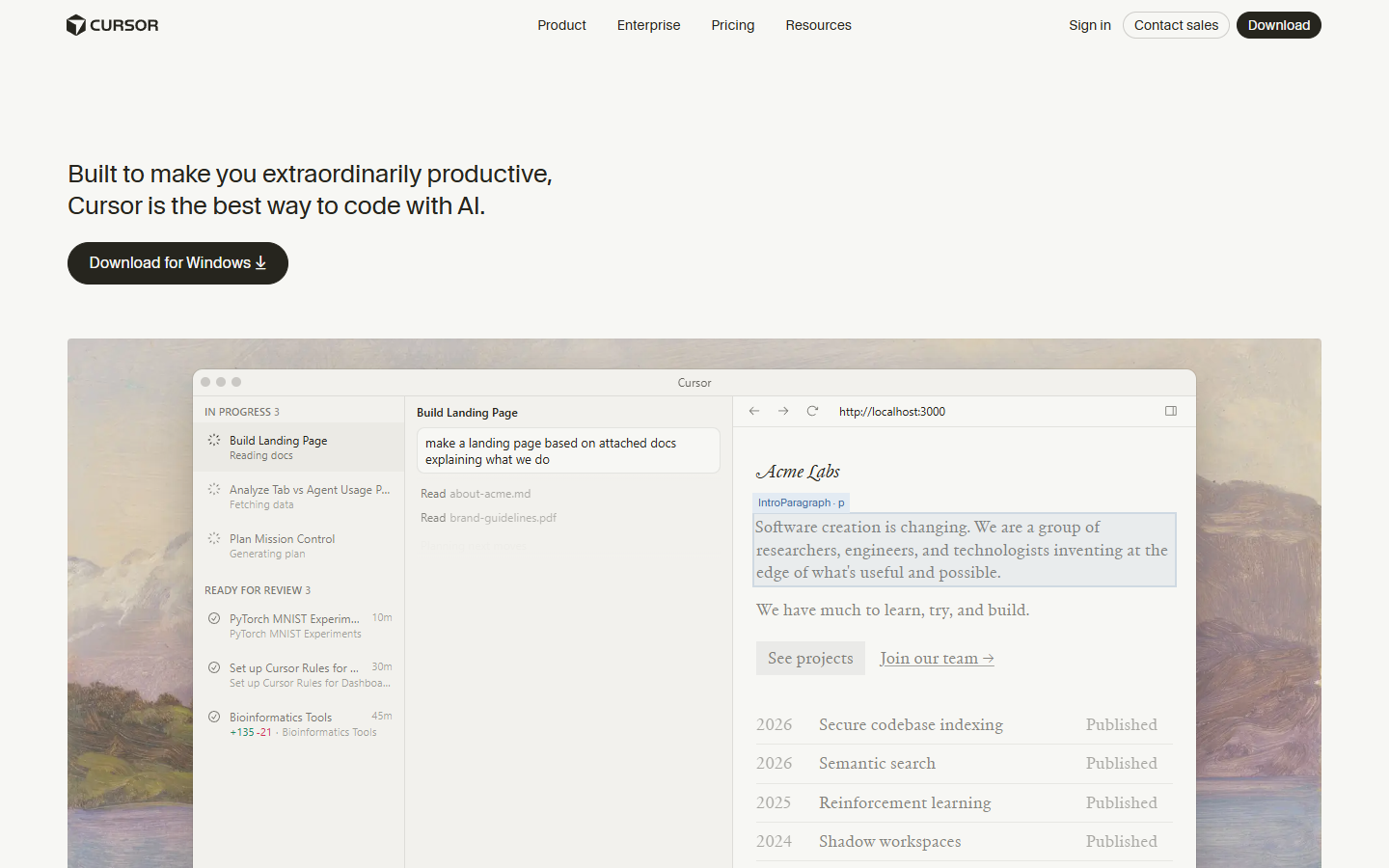
Composer 2 is Cursor’s third in-house coding model in five months, and it represents a meaningful shift in how the company thinks about its product. Unlike the models you have been using inside Cursor until now – Claude, GPT, Gemini – Composer 2 is not a wrapper around someone else’s foundation model, though it does start from one. According to VentureBeat’s reporting, it is a fine-tuned variant of Kimi K2.5, a Chinese open-source model, which Cursor adapted through continued pretraining and reinforcement learning specifically for long-horizon agentic coding tasks.
The reason Cursor built this matters more than the technical details, I think. When your entire product depends on models made by Anthropic and OpenAI, you are one pricing change or one API deprecation away from a very bad quarter, and Cursor – now valued at $29.3 billion with over a million daily active users – clearly decided that dependency was not something they wanted to carry into 2026. Cursor’s co-founder has been explicit about the tradeoffs: Composer 2 will not write your poems and it will not do your taxes, because it was trained exclusively on coding datasets, and that narrow focus is precisely what makes it cheap enough to offer at the prices they are advertising.
The technical innovation worth understanding here is what Cursor calls “compaction-in-the-loop reinforcement learning,” which is a mouthful, but the core idea is clever. When Composer 2 hits a context-length trigger during a long coding session, it pauses to summarize its own context down to roughly 1,000 tokens – and that summarization step is itself part of the training signal, meaning the model learned which details to keep and which to discard through thousands of reinforcement learning iterations. In Cursor’s self-summarization research post, they describe a Terminal-Bench 2.0 task where an early Composer 2 checkpoint worked for 170 turns and compressed more than 100,000 tokens down to 1,000 tokens across multiple summarization steps, and the summaries were compact, human-readable, and structured enough to keep the model on track throughout the entire session.
Getting Started – What Changes When You Switch to Composer 2
If you are already a Cursor user (on any paid plan), switching to Composer 2 is not much of an event – you select it from the model dropdown where you would normally choose Claude or GPT, and that is more or less it. The first thing you will notice is that responses arrive fast, genuinely fast, with large chunks of text appearing almost immediately rather than the line-by-line rendering you are used to with Opus 4.6 or GPT-5.4.
Worth noting: on Pro, Pro+, and Ultra plans, Composer 2 usage draws from a dedicated Composer usage pool that is separate from your general model credit pool, which means using Composer does not eat into your Claude or GPT credits. This is a smart design choice on Cursor’s part, because it removes the friction of having to choose between their in-house model and the third-party models you are already paying for – you can run Composer 2 for your routine coding work and keep Opus 4.6 in reserve for the tasks that actually need deeper reasoning, without worrying about budget allocation.
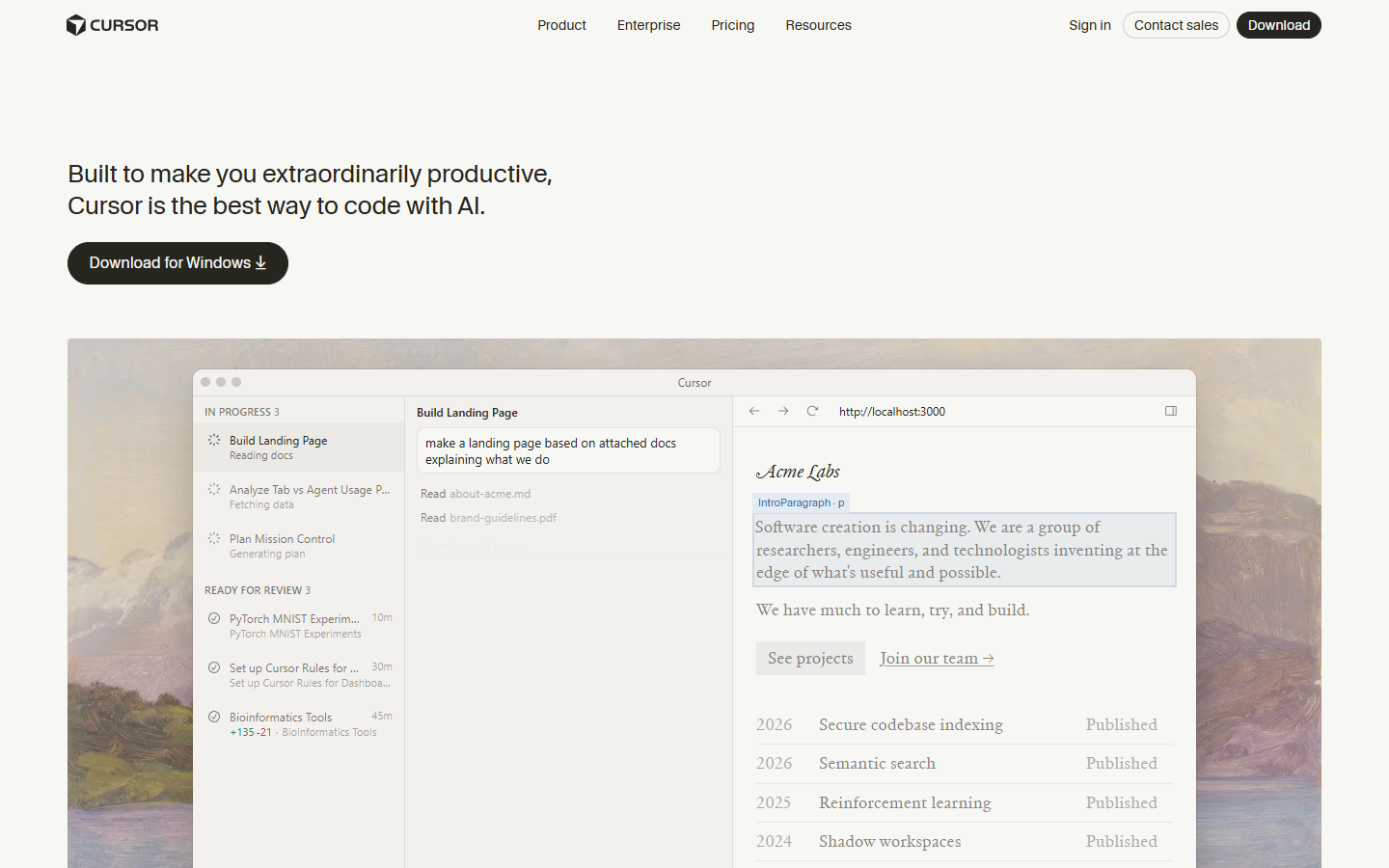
The new Glass UI that shipped alongside Composer 2 is in early alpha and takes some getting used to (the interface is minimal and agent-first rather than file-first), but the model switch itself requires zero configuration beyond picking it from the dropdown. If you have been using Cursor’s best vibe coding tools at all, the onboarding here is about as frictionless as it gets.
Here Is What Composer 2 Gets Right
The Speed Is Genuinely Impressive
I want to be careful not to overstate this, because speed improvements in AI models tend to feel dramatic for the first hour and then fade into the background once your expectations adjust, but Composer 2 Fast is noticeably quicker than anything else I have used inside Cursor. Users on Reddit’s r/cursor describe responses arriving as “large chunks of text appearing almost immediately,” and that matches my experience – where Opus 4.6 renders line by line, Composer 2 delivers in blocks that feel closer to instant.
The speed advantage compounds in a way that matters for real workflows, because when you are doing iterative work – running a refactor, checking the output, adjusting, running again – the seconds you save per iteration add up to minutes per session and hours per week. Cursor achieves this through a combination of Mixture-of-Expert architecture (which activates only a subset of model weights per token), speculative decoding, and the context compaction system I described above. Whether the raw tokens-per-second number is twice as fast or three times as fast as Opus matters less than the fact that the latency difference is immediately noticeable in practice.
Coding Benchmarks That Actually Matter
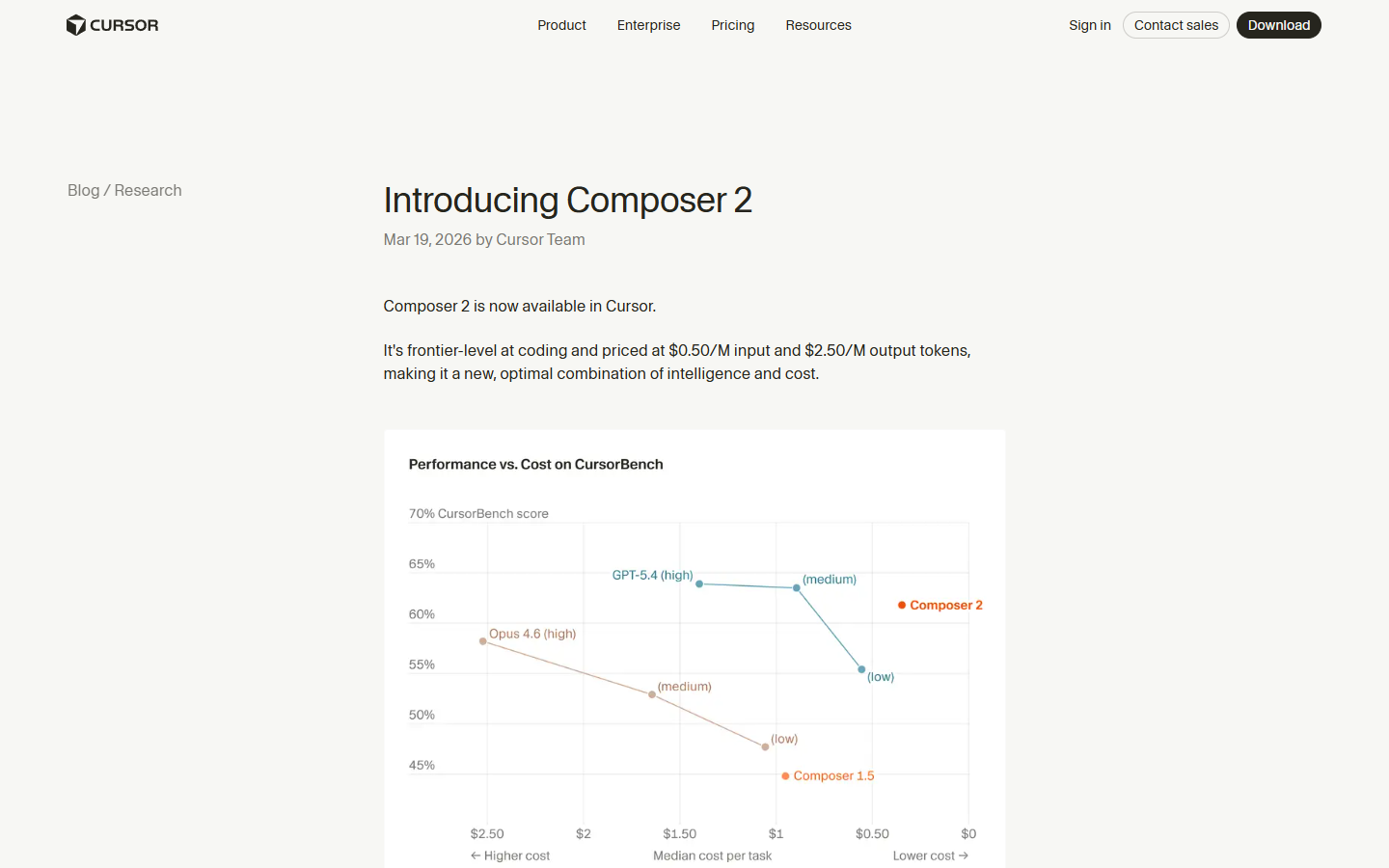
The benchmark numbers are strong, and they come from multiple sources – not just Cursor’s own internal suite. On CursorBench-3, Composer 2 scores 61.3, which is a 38.7% improvement over Composer 1.5’s 44.2. On Terminal-Bench 2.0, which is run by the Laude Institute and not by Cursor, Composer 2 scores 61.7 – beating Claude Opus 4.6’s approximate score of 58.0, according to daily.dev reporting. On SWE-bench Multilingual, another external benchmark, it scores 73.7.
| Model | CursorBench | Terminal-Bench 2.0 | SWE-bench Multilingual |
|---|---|---|---|
| Composer 2 | 61.3 | 61.7 | 73.7 |
| Composer 1.5 | 44.2 | 47.9 | 65.9 |
| Composer 1 | 38.0 | 40.0 | 56.9 |
To put that in context, an average CursorBench challenge involves 352 lines of code spread across eight files, which is substantially more than what SWE-bench Verified tasks typically require, and the tasks are sourced from real Cursor engineering sessions rather than synthetic problems. The trajectory from Composer 1 in October 2025 to Composer 2 in March 2026 is a 61% improvement on CursorBench in five months, which is – I initially thought this number was wrong when I calculated it – genuinely remarkable for an in-house model program that did not exist a year ago.
The Price Makes Claude and GPT Look Expensive
This is where Composer 2’s case gets hard to argue with, even if you are skeptical about the benchmarks.
| Model | Input (per 1M tokens) | Output (per 1M tokens) | Cache-Read (per 1M tokens) |
|---|---|---|---|
| Composer 2 Standard | $0.50 | $2.50 | $0.20 |
| Composer 2 Fast (default) | $1.50 | $7.50 | $0.35 |
| Claude Opus 4.6 | ~$5.00 | ~$25.00 | N/A |
| Claude Sonnet 4.6 | ~$3.00 | ~$15.00 | N/A |
Composer 2 Standard runs at roughly 90% less than Claude Opus 4.6, and even the Fast variant (which is the default and what most people will actually use) comes in at around 70% cheaper than Opus. For individual plan users, a Hacker News commenter connected to Cursor put the per-request cost at approximately $0.08 for Fast and $0.04 for Standard, which gives you a more practical sense of what this looks like in daily use – if you are making 50 requests a day, that is $4 per day on Fast versus what would have been significantly more on Opus 4.6.
A Reddit user in the launch thread captured the sentiment well: “I’m puzzled about how we transitioned from $175/$15 to $2.50/$0.50 now, but I’m grateful for the change.” The 86% reduction from Composer 1.5 pricing – I had to check this number twice because it seemed too aggressive to be real, but it holds up – is the kind of cost drop that changes how you think about when to invoke an AI agent and when to just do it yourself.
Where It Falls Short – And Cursor Knows It
Reasoning Depth Is Not There Yet
The consistent feedback from developers who have spent serious time with Composer 2 is that it handles straightforward coding tasks well – in many cases at parity with Sonnet 4 or GPT-5 – but drops off noticeably when tasks require deep reasoning about ambiguous requirements or complex system architecture. One developer on Reddit who tested it for two hours on an 80,000-line TypeScript monorepo noted that “for ambiguous requirements, it chooses an interpretation and proceeds without hesitation,” whereas “Claude Opus 4.6 asks for clarification” and that when debugging unfamiliar code, Opus works through the logic more meticulously.
Off the Grid XP’s analysis summarized it cleanly: “It’s actually great at coding. The challenge comes in when doing more than just coding, like running long-term tasks like operating or maintaining systems. Composer doesn’t have the reasoning depth that Opus 4.6 has.” This is, of course, the tradeoff you would expect from a model trained exclusively on coding data – it is very good at the thing it was trained to do, and noticeably weaker at the broader reasoning tasks that general-purpose frontier models handle.
There is also an instruction-following issue that multiple testers have flagged. Composer 2 tends to be what one Reddit reviewer called “overzealous” – it reads your instructions, finishes the task, and then assumes it knows what should come next, proceeding without permission and sometimes making unsolicited changes to files you did not ask it to touch. It is also chattier than it needs to be, spending tokens on conversational commentary when those tokens could be better spent on actual code output.
The Self-Benchmarking Problem
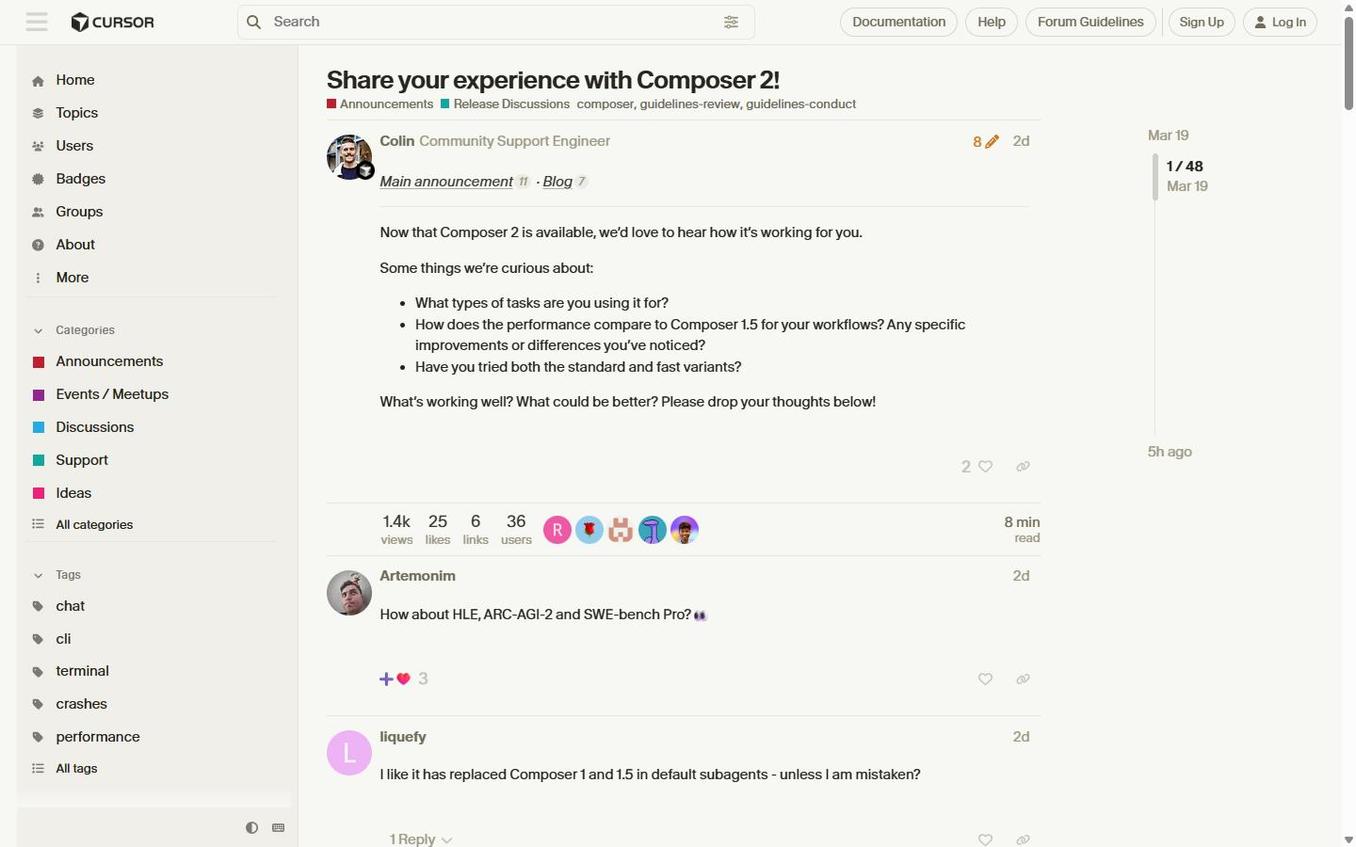
I think it is worth being direct about this: the most upvoted comment in the Reddit launch thread, with 171 upvotes, was “Cursorbench? So you created your own benchmarking tool and rated yourselves higher than Opus 4.6? That’s amusing!” And that skepticism is not unreasonable, because a company grading its own model on its own benchmark does create an obvious conflict of interest (even if the benchmark methodology is well-documented and refreshed regularly from real engineering sessions).
To Cursor’s credit, they also report Terminal-Bench 2.0 and SWE-bench Multilingual scores, which are external benchmarks, and Composer 2 performs well on both. But the company has confirmed on Hacker News that they have no plans to report SWE-bench Verified scores, citing contamination concerns – the same reasoning OpenAI has used. Whether you find that reasoning persuasive or convenient probably depends on how much you trust Cursor’s motives, and I suspect reasonable people will disagree on that point.
The practical takeaway is that benchmarks tell you one story and daily usage tells you another, and the community reports suggest Composer 2’s real-world performance lands somewhere between the impressive benchmark numbers and the skeptics’ assumption that it is all marketing. VentureBeat framed it well: “Cursor is not claiming universal leadership or single best model at everything. Its pitch is more pragmatic – a more efficient cost-to-intelligence tradeoff for everyday coding work inside Cursor.”
UI Generation Needs Work
If your work involves generating user interfaces – and for many of the people reading this who use AI tools for content creators or build web applications, it probably does – Composer 2 is noticeably behind Opus 4.6 in this area. A YouTube reviewer who ran a side-by-side test building an HR portal put it bluntly: the Composer 2 output “looks like the old Workday experience – not so friendly, not so nice,” while the Opus 4.6 version “looks like the modern version of Workday, which is much nicer.” The reviewer concluded: “Composer 2, you are okay, you are 10 times cheaper than Opus, but still the generation is not as good as it could have been.”
This is a meaningful gap for anyone doing frontend work or building products where the visual output matters, and it is something to factor into your decision about when to use Composer 2 versus when to switch back to a general-purpose model.
Composer 2 Pricing – What You Are Actually Paying
Per-Token API Pricing
| Model | Input (per 1M tokens) | Output (per 1M tokens) | Cache-Read (per 1M tokens) |
|---|---|---|---|
| Composer 2 Standard | $0.50 | $2.50 | $0.20 |
| Composer 2 Fast (default) | $1.50 | $7.50 | $0.35 |
| Composer 1.5 (prior gen) | $3.50 | $17.50 | $0.35 |
Source: Cursor’s official changelog
Cursor Subscription Tiers (March 2026)
| Plan | Price | What You Get |
|---|---|---|
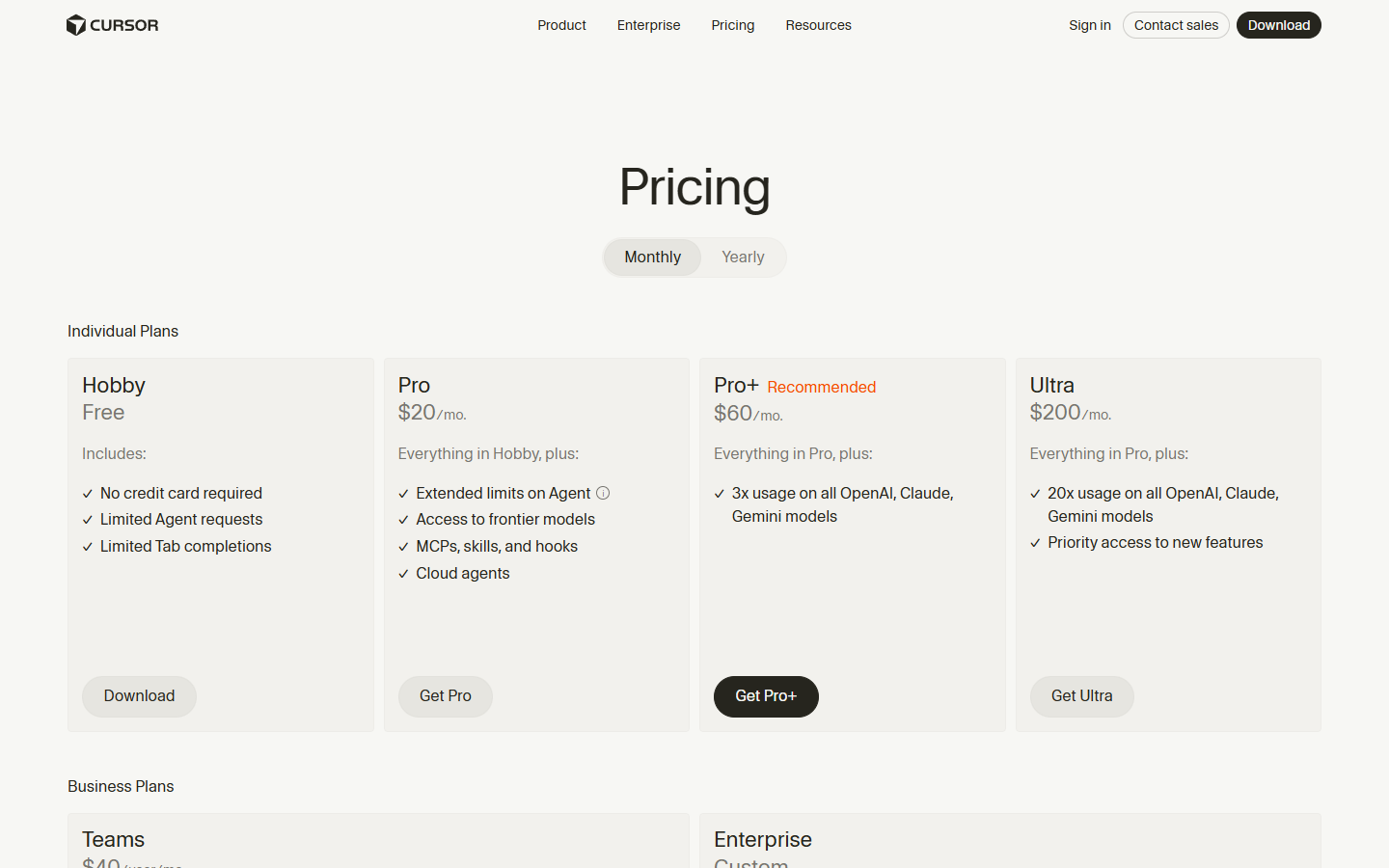
| Hobby | Free | Limited agent requests, Tab completions |
| Pro | $20/mo | Unlimited Tab completions, $20 credit pool, frontier model access, cloud agents |
| Pro+ | $60/mo | Everything in Pro, 3x usage on all models |
| Ultra | $200/mo | Everything in Pro, 20x usage on all models, priority access |
| Teams | $40/user/mo | Pro features + shared chats, centralized billing, SSO |
| Enterprise | Custom | Pooled usage, invoice billing, dedicated support |
Source: Cursor pricing page
The most important detail here is how Composer usage works on individual plans: your Composer 2 requests (both Standard and Fast) draw from a dedicated usage pool that is separate from your general model credits, so using Composer 2 does not reduce the amount of Claude or GPT you can use. This is worth understanding clearly before you sign up, because it means the $20/month Pro plan effectively gives you two separate buckets of AI usage – one for Cursor’s own models and one for everything else.
How It Compares to Claude Opus 4.6, GPT-5.4, and Windsurf
The comparison landscape is more nuanced than a simple benchmark table would suggest, because each of these tools occupies a slightly different position in the coding workflow.
Composer 2 vs Claude Opus 4.6: On pure coding benchmarks, Composer 2 edges out Opus 4.6 on Terminal-Bench 2.0 (61.7 vs approximately 58.0) and on CursorBench (61.3, where Opus scores lower), while costing roughly 90% less at the Standard tier. But Opus 4.6 retains clear advantages in reasoning depth, UI generation quality, and instruction-following precision. The NxCode comparison notes that Claude Code with Opus 4.6 achieved 78% correctness on complex feature implementations versus 73% for Cursor – a gap that likely widens when you move from routine tasks to truly ambiguous ones. If you want the best possible output on a complex, one-time task and cost is secondary, Opus 4.6 is still the better choice. If you are running dozens of coding requests per day on well-defined tasks, Composer 2’s price-to-performance ratio is hard to beat.
Composer 2 vs GPT-5.4: On CursorBench, Composer 2 sits in third place behind GPT-5.4 High and Medium configurations but ahead of GPT-5.4 Low. On Terminal-Bench 2.0, GPT-5.4 still leads Composer 2, per VentureBeat’s reporting. The practical difference is that GPT-5.4 at its highest configurations costs meaningfully more and is slower, so the question is whether the quality gap on your specific tasks justifies the price premium. For most everyday coding work, I suspect it does not.
Composer 2 vs Windsurf SWE-1.5: Windsurf, now owned by Cognition AI (the company behind Devin), launched SWE-1.5 on the same day as the original Composer 1 back in October 2025. Windsurf claims speed advantages from its Cerebras-based inference partnership (up to 950 tokens per second), offers a cheaper Pro plan at $15/month versus Cursor’s $20, and carries stronger enterprise security credentials including HIPAA and FedRAMP compliance. Composer 2 is now more competitive with Windsurf on pricing (Standard at $0.50/$2.50 is very aggressive), and Cursor generally offers a richer IDE experience with more precise control over code changes. The TLDL.io comparison captures the distinction well: “Cursor feels like more of a power tool with more precise control,” while “Windsurf is the best free AI code editor in 2026.”
For a broader look at how all these tools stack up, our Replit Agent 4 review covers the all-in-one alternative to Cursor’s IDE-first approach, which takes a meaningfully different philosophy on what a coding assistant should do.
Who Should Use Composer 2 (and Who Should Stick with Claude or GPT)
Composer 2 is a good fit if:
- You are already on a Cursor Pro or higher plan and want to stretch your usage budget significantly further
- Your daily coding work consists mostly of well-defined tasks – refactors, feature implementations with clear requirements, multi-file changes across a codebase you understand well
- Speed matters to your workflow, and the latency difference between Opus and Composer 2 would compound across dozens of daily interactions
- You are working in a large monorepo where the self-summarization capability (compressing 100,000+ tokens of context into 1,000-token summaries) gives Composer 2 a structural advantage on long-horizon tasks
You are probably better served by Claude Opus 4.6 or GPT-5.4 if:
- Your tasks involve ambiguous requirements where you need the model to ask clarifying questions rather than charge ahead with its own interpretation
- You do significant frontend or UI work where visual quality of generated code matters
- You need strong instruction-following for structured, multi-step workflows where the model must stay precisely on task without making unsolicited changes
- You are doing complex debugging in unfamiliar codebases where reasoning depth is more important than speed
The good news is that you do not have to choose exclusively – Cursor’s separate usage pools for Composer and third-party models mean you can use Composer 2 Fast as your default for routine work and switch to Opus 4.6 or GPT-5.4 when a task clearly requires it. That hybrid approach is, in practice, probably the optimal strategy for most developers right now.
The Bottom Line
Composer 2 is not the best coding model available in March 2026 – GPT-5.4 at its highest configurations still outperforms it on most benchmarks, and Claude Opus 4.6 still handles complex reasoning and UI generation with more finesse. But that framing misses the point of what Cursor is doing here, which is offering a model that is good enough for the vast majority of everyday coding tasks at a price point that makes the competition look almost absurdly expensive by comparison. At $0.50 per million input tokens on Standard (or $1.50 on Fast), Composer 2 changes the math on how often you should be invoking an AI agent rather than writing code yourself, and for high-frequency coding workflows, the savings are substantial.
The self-benchmarking criticism is fair and worth keeping in mind, but Terminal-Bench 2.0 and SWE-bench Multilingual provide enough external validation that I am comfortable saying Composer 2 is a legitimate frontier-adjacent coding model, not a marketing exercise. The instruction-following quirks and reasoning depth gaps are real limitations that Cursor will need to address in future versions, and I would not recommend it as your only model for complex architectural decisions or ambiguous problem-solving. But as a fast, cheap default for the 70-80% of coding requests that are well-defined and straightforward, it is absolutely worth using – and the fact that it runs on a separate usage pool from your Claude and GPT credits means there is very little downside to trying it.
Cursor is worth keeping an eye on more broadly. They shipped the original Composer five months ago, Composer 1.5 three months ago, and now Composer 2 – each one a meaningful improvement over the last. If that pace continues, the gap between Cursor’s in-house models and frontier general-purpose models is likely to keep narrowing, and the pricing advantage will only become more compelling over time. For now, the Cursor Pro plan at $20/month gives you access to both Composer 2 and the third-party models, which is a reasonable way to test the hybrid approach I described above without committing to anything you cannot easily reverse.
Keep Reading
- The 8 Best Vibe Coding Tools in 2026 – Cursor is number one on this list, plus seven other tools compared
- Replit Agent 4 Review 2026 – The all-in-one alternative to Cursor’s IDE-first approach
- AI Tools for Content Creators – The broader AI toolkit beyond coding
Sources
- Cursor official blog – Composer 2
- Cursor self-summarization research
- Cursor CursorBench methodology
- Cursor changelog – Composer 2
- Cursor pricing page
- VentureBeat – Composer 2 launch coverage
- SiliconAngle – Composer 2 launch
- Off the Grid XP – How Good is Cursor’s Composer 2?
- Reddit r/cursor – Composer 2 launch thread
- Reddit r/cursor – Real-world testing
- Reddit r/cursor – First impressions
- Hacker News – Composer 2 discussion
- NxCode – Cursor vs Windsurf vs Claude Code 2026
- SaaStr – Cursor $1B ARR
- TLDL.io – Cursor vs Windsurf 2026
- Cognition AI – Introducing SWE-1.5
- daily.dev – Composer 2 post
- YouTube – Is Cursor’s new model actually good?
- YouTube – I Tested Cursor’s New Model Composer 2
