Some links on this site are affiliate links, meaning we may earn a small commission at no extra cost to you if you click through and make a purchase. n8n has an affiliate program and we may earn a commission if you sign up through our links. This does not influence our reviews or recommendations — we only suggest tools we genuinely believe in.
If you have spent any time building content workflows in 2026, you have almost certainly noticed that the automation landscape has split into two camps: the "easy but expensive" tools like Zapier that charge you per task and quietly scale your bill as your workflows get more complex, and the open-source alternatives that promise unlimited everything but require you to actually understand what you are building. n8n sits in that second camp, but with a level of AI-native capability that honestly puts it in a category of its own right now, and this guide is going to walk you through exactly how to use it to build a complete content automation stack — from newsletter digests to lead enrichment to full blog pipelines — without paying a dime in platform fees.
The reason this matters right now, in particular, is that the cost of AI automation at scale has become a genuine strategic question for creators and small teams, because the per-task pricing models that made sense when workflows were simple five-step Zaps have become increasingly punishing as AI agents and multi-step reasoning chains have turned a single "workflow" into something that might involve 20, 30, or 50 discrete operations. And that shift in workflow complexity is exactly what makes n8n's per-execution pricing model so attractive.
Why Creators Like Matt Wolfe Use n8n Instead of Zapier
Matt Wolfe, who runs one of the most popular AI newsletters and YouTube channels in the space, has publicly featured n8n workflows on his channel multiple times throughout 2025 and into 2026, and the reasons he gives are worth understanding because they apply to basically anyone building content at scale. The core issue is structural: Zapier charges per task, which means that every individual step inside a workflow counts against your quota, so a 50-step workflow that processes a single newsletter email costs you 50 tasks, while a simple two-step workflow that forwards an email costs you two tasks. On n8n, both of those workflows cost exactly one execution, regardless of how many nodes or steps they contain internally.
This distinction sounds minor until you actually model it out. A daily newsletter digest workflow that fetches 20 emails, aggregates them, sends them through an AI summarization step, formats the output, and emails you the result might involve 25-30 individual operations. On Zapier's Professional plan at $49/month, you get 2,000 tasks — which means that single workflow, running once per day, would consume roughly half your monthly quota. On n8n's self-hosted Community Edition, it costs nothing. Not reduced, not discounted — literally zero dollars, because the self-hosted version is free with no execution limits, no workflow limits, and no feature restrictions on the core automation engine.
The other gap that has become increasingly apparent is around AI workflow capabilities. n8n has native LangChain integration and a dedicated AI Agent builder with memory, tool use, and retrieval-augmented generation built directly into the platform. Zapier has added AI features over the past year, of course, but they are generally limited to simple "AI by Zapier" actions that call OpenAI for text generation — there is nothing comparable to n8n's ability to build multi-step AI agents that can use other n8n nodes as tools, maintain conversation memory across executions, or query vector databases as part of a reasoning chain. For creators who are serious about building AI-powered content systems, that gap is not subtle.
What Is n8n?
n8n (pronounced "n-eight-n," short for "nodemation") is a node-based visual workflow automation platform that lets you connect apps, APIs, and AI models through a drag-and-drop canvas. It was founded in 2019 by Jan Oberhauser, and as of early 2026 it has accumulated over 80,000 GitHub stars, making it one of the most popular open-source automation projects in existence — comfortably ahead of alternatives like Automatisch and within striking distance of broader workflow tools like Apache Airflow in terms of community engagement.
The platform is released under a Sustainable Use License, which is part of the "Fair Code" movement — meaning the source code is fully visible and you can self-host it for free, but you cannot resell n8n as a service or build a competing product on top of it. For individual users, small teams, and even mid-sized businesses running their own automation stacks, this is functionally equivalent to being fully open-source in terms of what you can actually do with it.
n8n ships with over 400 native integrations covering the usual suspects — Google Workspace, Slack, Notion, Airtable, Shopify, WordPress, HubSpot, and so on — plus a generic HTTP Request node and a Code node (supporting JavaScript and Python) that lets you connect to essentially anything with an API. The way executions work is straightforward: a trigger node starts the workflow (this could be a schedule, a webhook, a new email, a form submission, or dozens of other events), data flows through processing nodes that transform, filter, route, or enrich it, and action nodes at the end do something with the result — send an email, create a record, post to Slack, update a spreadsheet, or call an external API.
You can run n8n in two ways. The cloud-hosted version starts at $20/month and handles all infrastructure for you, with execution limits based on your plan tier. The self-hosted version runs via Docker on any Linux server, VPS, or even a Raspberry Pi, and it is genuinely unlimited — no execution caps, no workflow caps, no artificial restrictions. Most technical users end up self-hosting on a $5-10/month VPS from providers like DigitalOcean or Hetzner, which gives you a complete automation platform for less than what Zapier charges for their most basic paid plan.
n8n for AI Workflows — What Makes It Different
The thing that separates n8n from every other automation platform in 2026 is the depth of its AI integration, and it is worth being specific about what that actually means in practice rather than just listing features. n8n has a native LangChain integration that exposes the full LangChain framework — chains, agents, memory modules, output parsers, document loaders, and retrievers — as visual nodes that you can drag onto the canvas and connect without writing code. This is not a simplified wrapper or a "low-code AI" marketing feature; it is the actual LangChain library running inside n8n's execution engine, which means you get the same capabilities that a Python developer would have if they were building with LangChain directly.
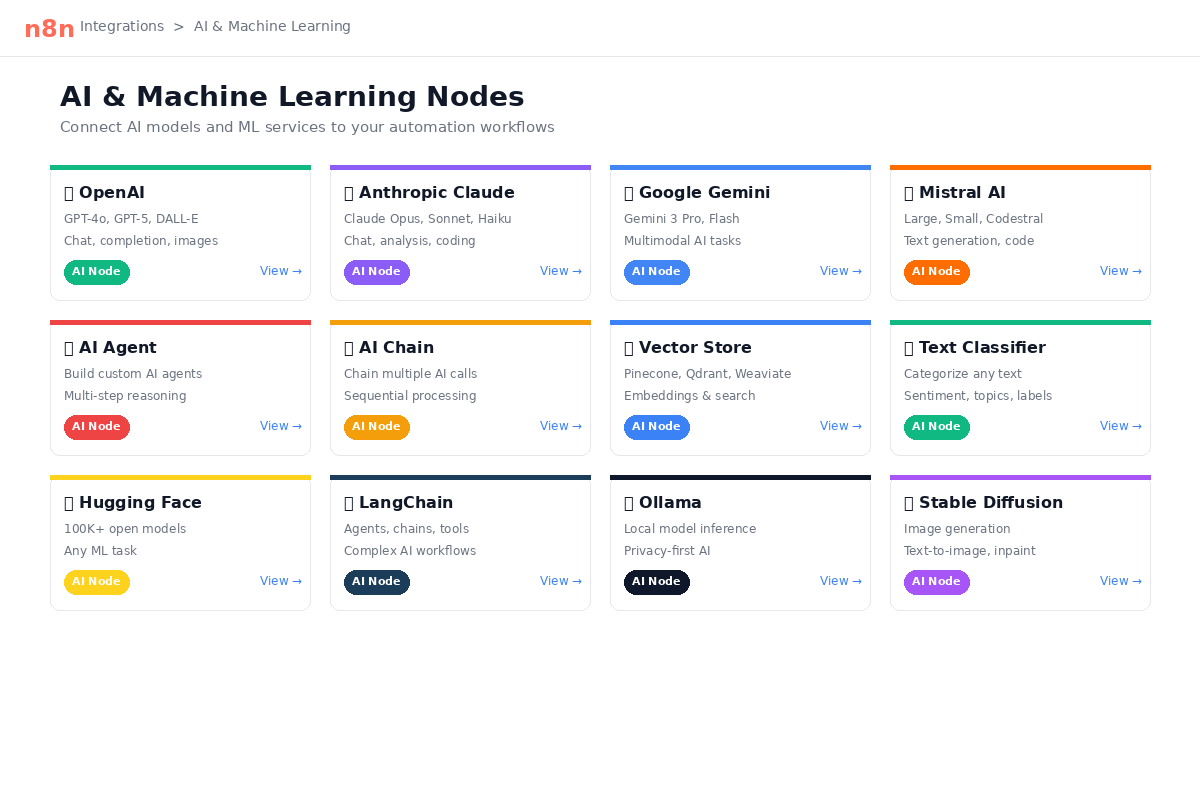
The AI Agent builder is where things get genuinely powerful, because it lets you create agents that have persistent memory (so they remember context across multiple executions), can use tools (including other n8n nodes, which means your agent can query a database, call an API, or trigger another workflow as part of its reasoning process), and can perform retrieval-augmented generation by querying vector databases like Pinecone, Qdrant, Chroma, or Weaviate. You can connect these agents to any LLM provider — OpenAI, Anthropic, Google Gemini, Mistral, or even local models running through Ollama — which means you are not locked into any single provider's pricing or capabilities.
The execution observability is another detail that matters more than it sounds like it should: when an AI agent runs inside n8n, you can see exactly what the agent called, in what order, what data was returned at each step, and how the agent decided to proceed. This is in contrast to platforms where AI actions are essentially black boxes — you send in a prompt and get back a result, but you have no visibility into intermediate reasoning steps or tool calls. For anyone debugging complex AI workflows or trying to understand why an agent produced a particular output, that transparency is invaluable.
Workflow 1 — Build an AI Newsletter Digest
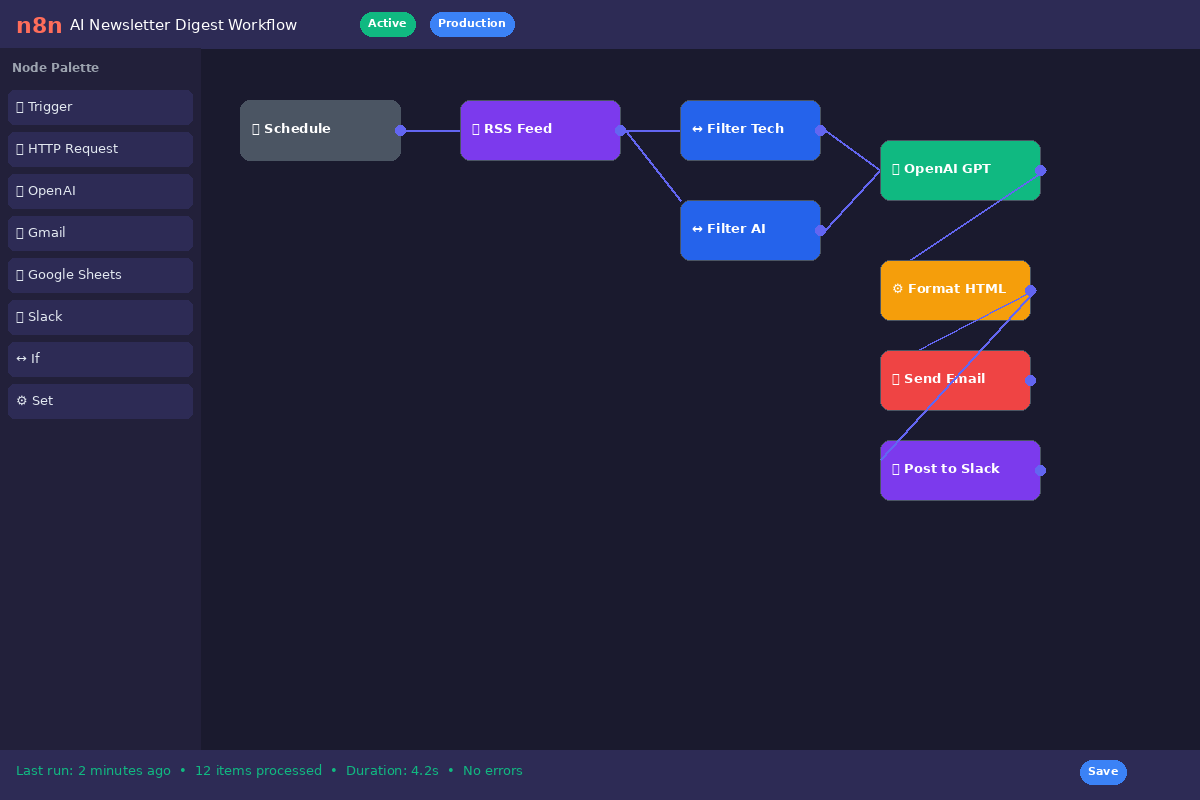
This is, in my view, the single best starter workflow for anyone new to n8n, and it is directly inspired by the approach Matt Wolfe has talked about publicly — using automation to process the dozens of AI newsletters that land in your inbox every day and distill them into a single, readable summary that you can scan in five minutes instead of spending 30-45 minutes reading through everything individually.
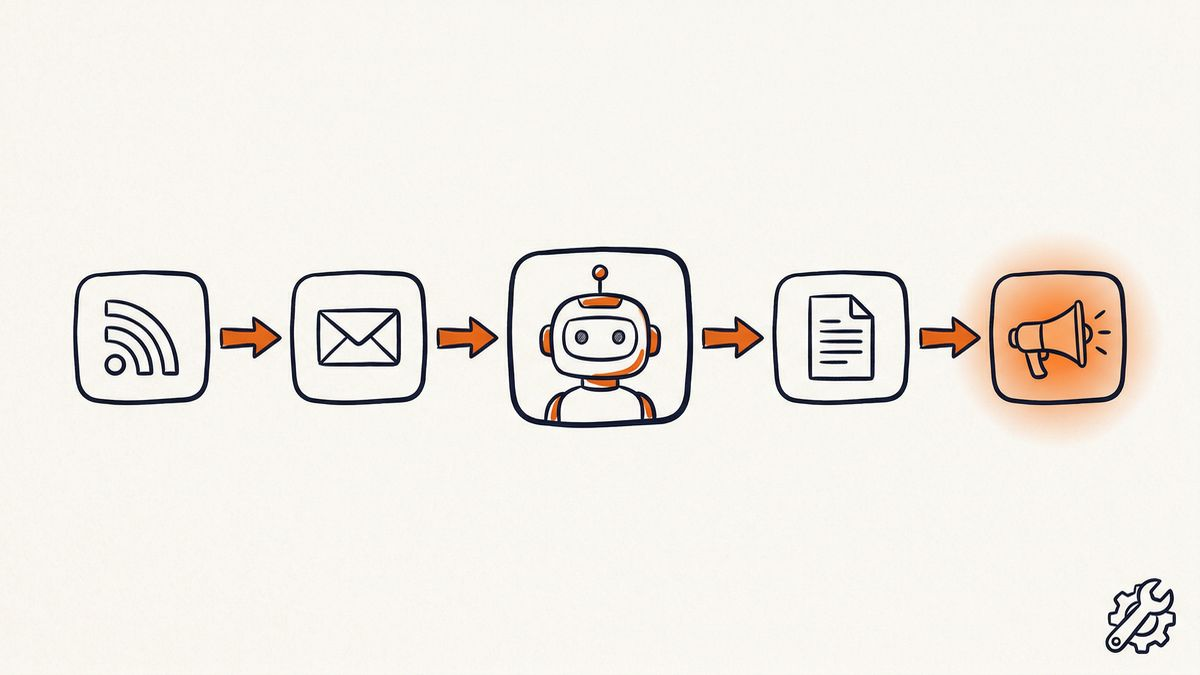
The workflow structure is straightforward. You start with a Schedule Trigger set to run once daily at whatever time you prefer — I run mine at 7 AM so the digest is waiting when I start work. That trigger fires a Gmail node (or IMAP node, if you prefer) that fetches all unread emails matching a specific label or filter — in this case, a "Newsletters" label that Gmail's native filters route incoming newsletters into automatically. The fetched emails flow into an Aggregate node that combines all of them into a single data payload, which then gets passed to an AI Agent node (connected to your LLM of choice — I use Google Gemini 2.0 Flash for this because the cost is effectively zero for the volume involved) with a prompt that instructs it to summarize the key developments, group them by theme, highlight anything that requires action, and format the output as a clean digest. The agent's output then flows through two final Gmail nodes: one that marks all the original newsletter emails as read, and another that sends the compiled digest to your inbox (or to a Slack channel, or to a Notion page, or wherever you want it).
The cost of running this workflow is, honestly, almost nothing. If you are using Gemini 2.0 Flash, the API costs for summarizing 10-20 newsletter emails per day work out to fractions of a cent. If you are self-hosting n8n on a $5/month VPS, that is the only recurring cost — and that VPS can run dozens of other workflows simultaneously. The time savings, on the other hand, are genuine: I have been running a version of this workflow for six months, and it consistently saves me 30+ minutes per day that I used to spend reading through newsletters manually, with the added benefit that the AI summary often surfaces connections between stories that I would have missed reading them individually.
Workflow 2 — RSS Content Monitor with AI Filtering
If you follow more than a handful of industry blogs, research labs, or news sources, you have probably experienced the problem of RSS overload — you subscribe to 15 feeds with good intentions, fall behind within a week, and eventually just stop checking them entirely because the volume is unmanageable. This workflow solves that by using an AI model to score each article for relevance to your specific interests and only surfacing the ones that are genuinely worth reading.
The structure starts with a Schedule Trigger that runs every four hours (you can adjust this based on how time-sensitive your content needs are). That trigger fires multiple RSS Read nodes in parallel, each pointed at a different feed — your favorite AI research blogs, competitor company blogs, industry news outlets, product changelogs, or whatever you care about tracking. All the fetched items flow into a Merge node that combines them into a single stream, then into an OpenAI node (or any LLM) that evaluates each article's title and description against a relevance prompt you define — something like "Score this article from 0 to 10 for relevance to someone who builds AI-powered content tools and automation workflows, where 10 means directly relevant and actionable, and 0 means completely unrelated." The scored items pass through a Filter node that keeps only articles scoring 7 or above, and those filtered results get logged to a Google Sheets spreadsheet (which becomes a searchable archive of high-relevance content over time) and simultaneously posted as summaries to a Slack channel where you and your team can discuss them.
The beauty of this workflow is that it scales effortlessly: adding a new RSS feed is a matter of duplicating a node and pasting in a URL, and the AI filtering means that even if you are monitoring 30 or 40 feeds, you only ever see the 5-10 articles per day that actually matter to your work. In practice, I find this surfaces about two or three genuinely valuable articles per day that I would have missed entirely if I were relying on manual RSS reading or social media algorithms to surface them.
Workflow 3 — Lead Enrichment Pipeline
This workflow is particularly useful for agencies, consultants, and SaaS founders who need to process incoming leads quickly and respond with personalized outreach rather than generic templates. The idea is to take a raw lead — just a name and email, typically — and automatically enrich it with company data, generate a personalized outreach draft, log everything for your sales team, and notify the right person that a new lead is ready for follow-up.
The trigger is a Webhook node that receives data from a lead capture form (this could be a Typeform, a Tally form, a custom HTML form, or anything that can send a POST request). The webhook data flows into an HTTP Request node that calls an enrichment API like Clearbit or Apollo to pull company details — industry, company size, funding stage, tech stack, recent news, and so on. That enriched data, combined with the original form submission, gets passed to an OpenAI node with a prompt that generates a personalized outreach email draft — not a generic "Hi [Name]" template, but something that references the prospect's specific industry, company stage, and likely pain points based on the enrichment data. The generated draft goes to Google Sheets for logging and tracking, then to a Gmail node that creates a draft email (not sends — you still want a human reviewing the final version before it goes out), and finally to a Slack node that notifies the assigned sales rep that a new enriched lead with a draft outreach email is waiting for their review.
The practical impact here is speed: instead of a lead sitting in a spreadsheet for hours or days while someone manually researches the company and writes a personalized email, the entire enrichment and drafting process happens within seconds of the form submission. For agencies running lead generation campaigns, this kind of response time can meaningfully impact conversion rates, because the faster you respond to a warm lead, the more likely they are to engage.
Workflow 4 — AI Blog Content Pipeline
This is the "content machine" workflow, and I want to be upfront that it is not about replacing human writing with AI-generated slop — it is about automating the tedious research and scaffolding work that precedes actual writing, so that when you sit down to write (or edit), you are starting from a well-researched, properly structured draft rather than a blank page.
The workflow begins with a Schedule Trigger set to run weekly (or whatever your publishing cadence is). It pulls the next keyword or topic from a Google Sheets queue — a spreadsheet where you maintain your editorial calendar with target keywords, working titles, and any notes about angle or audience. The keyword gets passed to an HTTP Request node that calls a SERP API (like SerpApi or DataForSEO) to pull the current top-ranking content for that keyword, including titles, meta descriptions, and word counts. All of that competitive data, along with the keyword and your editorial notes, flows into an OpenAI or Anthropic node that generates a structured first draft — with a proper outline, section headers, key points to cover based on what is currently ranking, and suggested internal links. A Code node then formats the output into clean HTML, and the formatted draft gets sent to your CMS via a WordPress node (or an HTTP Request node if you are using a headless CMS or custom publishing system) as a draft post. Finally, an Airtable node (or Google Sheets node) updates your content calendar to mark that topic as "draft complete" with the publish URL.
The result is that every week, you have a research-backed, competition-informed draft waiting in your CMS that you can edit, refine, add your own voice and expertise to, and publish — instead of spending the first two hours of every writing session just doing keyword research and competitive analysis manually. Over a quarter, this workflow can easily double or triple your publishing output without sacrificing quality, because you are spending your time on the high-value editorial work rather than the mechanical research work.
n8n Pricing — What Does It Actually Cost?
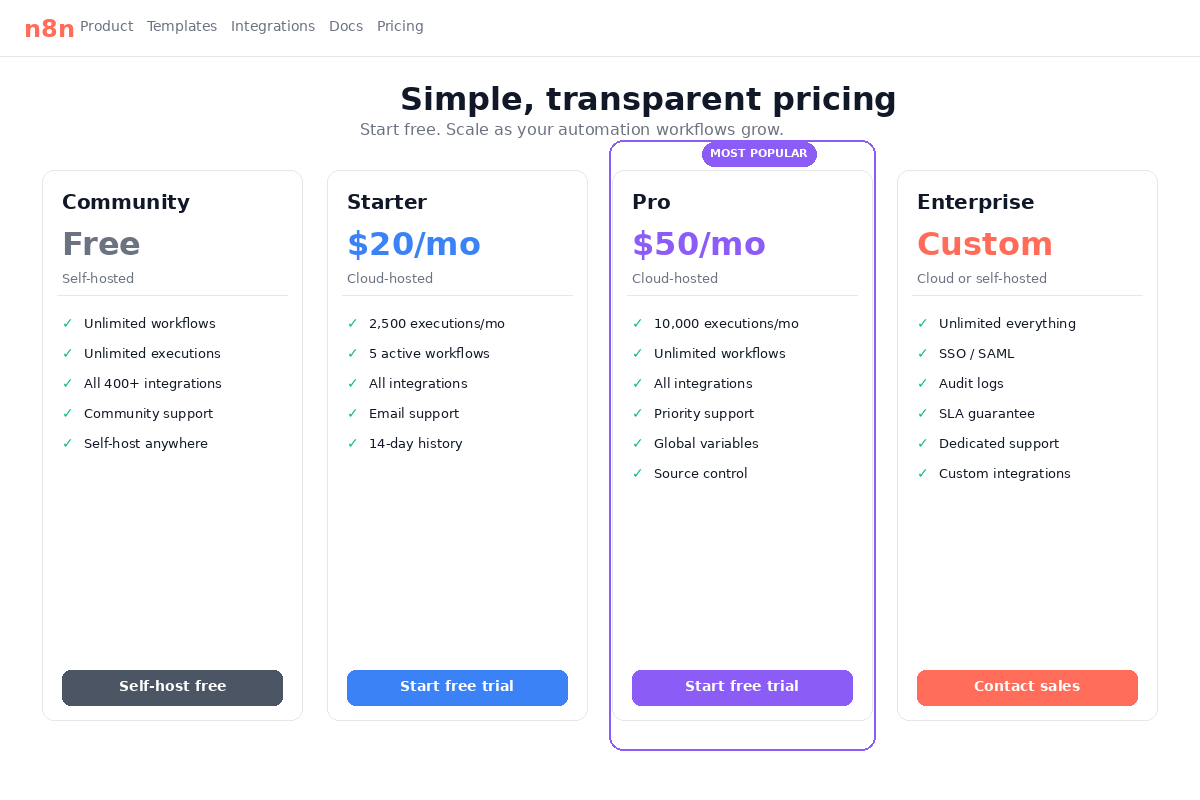
The pricing structure for n8n is one of its strongest selling points, but it is worth laying out clearly because the self-hosted and cloud-hosted options serve very different use cases. The Community Edition (self-hosted) is completely free with no limits on executions, workflows, or users — you just need to provide your own server infrastructure. The Cloud Starter plan runs $20/month and includes 2,500 executions, which is adequate for light personal use but can run out quickly if you have multiple workflows running on schedules. The Cloud Pro plan at $50/month bumps that to 10,000 executions and adds features like workflow history, external secrets storage, and custom variables. For teams needing more, the Enterprise tier adds SSO, SAML, audit logging, and dedicated support.
For self-hosting, the infrastructure costs are genuinely modest: a basic VPS with 2 GB of RAM and 1 vCPU from DigitalOcean ($12/month) or Hetzner ($5-7/month) is sufficient for most small-to-medium workloads — we are talking dozens of workflows running on schedules, processing hundreds of executions per day, without any performance issues. If your workflows involve heavy AI processing, the LLM API costs will likely dwarf your hosting costs, but that is true regardless of which automation platform you use.
To put this in context, here is how n8n's effective cost compares to the alternatives at a realistic usage level:
| Platform | Free Tier | Paid Starting Price | Pricing Model | Self-Hostable | AI Agent Support |
|---|---|---|---|---|---|
| n8n (self-hosted) | Unlimited | $0 (+ $5-20 VPS) | Per execution | Yes | Native LangChain |
| n8n Cloud | Trial only | $20/mo | Per execution | No (cloud) | Native LangChain |
| Make.com | 1,000 ops/mo | $9/mo | Per operation (per step) | No | Basic AI actions |
| Zapier | 100 tasks/mo | $19.99/mo | Per task (per step) | No | AI by Zapier |
| Activepieces | Unlimited (self-hosted) | $0 (+ VPS) or $5/mo cloud | Per task (cloud) / unlimited (self-hosted) | Yes | Growing |
n8n vs Make.com — Which Is Better for AI?
Make.com (formerly Integromat) is probably the closest mainstream competitor to n8n in terms of visual workflow complexity and flexibility, and the comparison between them is genuinely nuanced because they each have clear strengths in different areas. Make wins on integration breadth — it offers over 3,000 native app integrations compared to n8n's 400+, and its visual interface for complex branching, looping, and error handling is, in my experience, slightly more intuitive for very intricate multi-path workflows. Make also has a more generous free tier (1,000 operations per month) that lets you test real workflows before committing to a paid plan.
n8n wins, decisively, on two fronts: AI agent depth and self-hosting. Make has added AI capabilities over the past year, including OpenAI and Anthropic modules, but they are fundamentally action nodes — you send a prompt, you get a response, and that is it. There is no concept of an AI agent with memory, tool use, or RAG within Make's workflow engine, and there is no LangChain integration or vector database support. For simple AI tasks like "summarize this text" or "classify this email," Make is perfectly adequate, but for the kind of multi-step AI agent workflows described in this guide, n8n is currently the only visual automation platform that can handle them natively.
The pricing model difference is also significant: Make charges per operation, which is essentially per step (similar to Zapier's per-task model), meaning a 20-step workflow costs 20 operations. On n8n, that same workflow costs one execution. For workflows with many steps — which AI workflows almost always are, by nature — this difference compounds quickly.
n8n vs Zapier — When to Switch
Zapier is, of course, the 800-pound gorilla of workflow automation, and for good reason: it is genuinely easy to use, it has over 6,000 app integrations (the most of any platform), and it requires essentially zero technical setup. If you need to connect two SaaS tools with a simple "when X happens in App A, do Y in App B" workflow, Zapier is hard to beat, and honestly I would not recommend switching away from it for those basic use cases.
The case for switching to n8n becomes compelling in three specific scenarios. First, if you are building AI workflows with any complexity — multi-step agents, RAG pipelines, LLM chains with branching logic — Zapier simply does not have the infrastructure to support them. Second, if your workflow volume is scaling up and your Zapier bill is climbing with it, the per-execution pricing model (or the free self-hosted option) can represent dramatic savings: running 1,000 multi-step workflows per month where each workflow averages 15 tasks would cost you roughly 15,000 tasks on Zapier, which puts you on their $99/month Team plan at minimum. On self-hosted n8n, it is free. Third, if you need complex logic — conditional branching, loops, error handling, sub-workflows, custom code — n8n's Code node and visual branching system give you vastly more control than Zapier's Paths and Formatter tools, which feel limiting once you outgrow basic automation.
Where Zapier genuinely wins is in the ecosystem: the sheer number of pre-built integrations means that you are far less likely to need a custom HTTP Request node or API configuration, and the Zap template library has thousands of ready-to-use workflows that you can deploy in minutes. For non-technical users, that reduction in setup friction is worth a lot.
n8n vs Activepieces — The Open-Source Challenger
Activepieces is the most interesting emerging alternative to n8n in the open-source automation space, and the comparison is worth making because they target a very similar audience. Both are self-hostable, both offer free unlimited usage when self-hosted, and both have visual workflow builders with growing integration libraries. The key differences come down to licensing, AI capabilities, and design philosophy.
On licensing, Activepieces uses the MIT license — which is fully permissive, meaning you can fork it, resell it, embed it in your own product, or do essentially anything you want with it without restriction. n8n's Sustainable Use License is more restrictive: you can self-host and use it freely for your own purposes, but you cannot resell it as a hosted service or build a competing product on top of it. For most individual users and small teams, this distinction is irrelevant, but for companies thinking about embedding automation into a product they sell, the licensing difference could matter.
On AI capabilities, n8n has a meaningful lead as of early 2026. n8n's LangChain integration, AI Agent builder with memory and tool use, and vector database nodes are substantially deeper than what Activepieces currently offers, which is more limited to basic LLM action nodes for text generation and classification. Activepieces is actively developing its AI features, and the gap will likely narrow over the next year, but right now, if AI agent workflows are your primary use case, n8n is the stronger choice.
On simplicity, Activepieces wins: its interface is cleaner and more approachable for beginners, the documentation is well-organized, and the learning curve is noticeably gentler than n8n's, which can feel overwhelming when you first encounter the full node library and configuration options. If you are new to workflow automation and want to start building quickly without a steep learning curve, Activepieces is a genuinely good option to consider.
How to Get Started with n8n in 30 Minutes
The fastest way to try n8n is through their cloud trial, which gives you 14 days of free access with no credit card required. You sign up, land on the workflow canvas, and can start building immediately — the cloud version handles all the infrastructure, SSL, and configuration for you, so you can focus entirely on learning the platform. This is the approach I would recommend for anyone who wants to evaluate whether n8n fits their needs before committing to self-hosting.
If you already know you want to self-host, the process is straightforward if you are comfortable with basic server administration. The recommended path is to spin up a small VPS on DigitalOcean ($6/month for 1 GB RAM, which is sufficient for getting started) or Hetzner ($4-5/month for comparable specs), install Docker, and run n8n with a single Docker Compose command. The n8n documentation has a well-maintained self-hosting guide that walks through the full setup including SSL certificates via Let's Encrypt and persistent data storage, and the whole process takes about 20-30 minutes if you have used Docker before, or perhaps an hour if you are setting up your first VPS.
Once your instance is running, the best way to learn is through the n8n template library, which contains hundreds of pre-built workflows covering common use cases. I would specifically recommend starting with a simple schedule-triggered workflow (like the newsletter digest described earlier in this article) before moving on to webhook-triggered or AI-heavy workflows, because it gives you a feel for how data flows through nodes without the added complexity of external triggers or LLM configuration. The community forum at community.n8n.io is also genuinely active and helpful — I have found answers to most of my questions there, and the n8n team participates directly in discussions, which is a nice signal about how the company thinks about its developer community.
For VPS providers, my recommendations based on personal experience are DigitalOcean for the best documentation and beginner-friendly interface, and Hetzner for the best price-to-performance ratio, particularly their ARM-based servers which run n8n smoothly at very low cost. Either option will serve you well for running a small-to-medium n8n instance alongside other lightweight services.
Should You Use n8n? Our Verdict
n8n is, in my honest assessment, the best automation platform available in 2026 for anyone who is building AI-powered workflows and is willing to invest a modest amount of technical effort in exchange for dramatically lower costs and dramatically greater flexibility. If you are a technical creator, an AI builder, a solo developer running a content operation, or a small team that wants to automate aggressively without watching your automation bill climb every month, n8n is hard to beat — and the self-hosted Community Edition, in particular, represents one of the best value propositions in the entire AI tooling ecosystem.
That said, there are legitimate reasons to look elsewhere. If you are non-technical and have no interest in learning how workflow nodes connect, Zapier's simplicity is worth the premium. If you need integrations with thousands of niche apps and do not want to configure custom HTTP requests, Make.com or Zapier's integration libraries will save you meaningful time. And if you need enterprise-grade security features — SSO, SAML, audit logging, SOC 2 compliance — out of the box without managing your own infrastructure, n8n's Cloud Enterprise tier addresses some of those needs, but the self-hosted Community Edition does not include them by default and you would need to configure that infrastructure layer yourself.
For everyone else — and honestly, that covers most of the people reading this — n8n with a self-hosted instance and a few well-designed workflows can replace what would otherwise be hundreds of dollars per month in Zapier or Make.com fees, with more powerful AI capabilities, more control over your data, and no artificial limits on what you can build. It is one of those tools that genuinely delivers on the "build once, run forever for free" promise, and that is increasingly rare in a landscape where most platforms are moving toward consumption-based pricing that scales with your success.
In the interest of transparency: n8n has an affiliate program, and StackBuilt AI earns a 30% recurring commission if you sign up for an n8n Cloud plan through our links. That is worth knowing, and I want to be clear that our recommendation of n8n predates our participation in their affiliate program — we started using and writing about n8n because it is genuinely the best tool for AI automation workflows, and the affiliate relationship came after, not before, that assessment. If you choose to self-host (which is free and, honestly, what we recommend for most technical users), we earn nothing from that, and we are completely fine with it.
Affiliate Disclosure: Some links in this article may be affiliate links. If you purchase a subscription through these links, StackBuilt AI may earn a small commission at no additional cost to you. We only recommend tools we have personally tested and believe in. Read our full affiliate disclosure.